Payload NextJS: A Comprehensive Guide to Migrating to Version 2.0


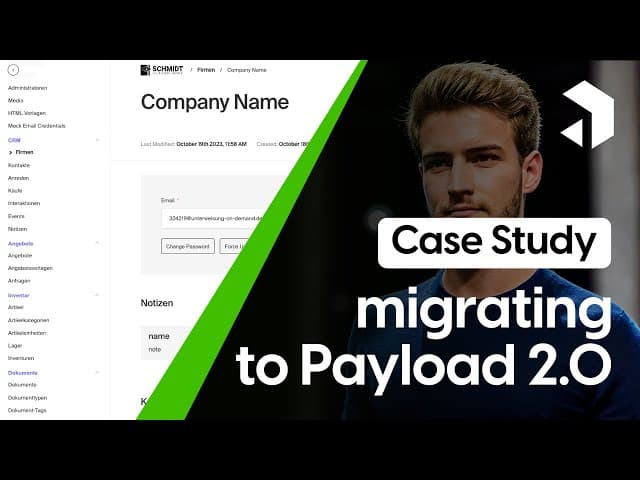

Welcome to this deep dive into migrating a complex Payload project from version 1.0 to 2.0! My name is Joshua, and I’m excited to share my insights on this journey. Whether you are a seasoned developer or just starting out with Payload, this article aims to provide valuable information that can help you navigate this process smoothly.
This article provides a detailed step-by-step tutorial based on our comprehensive video guide available on YouTube at https://www.youtube.com/watch?v=Ffq65yaVknI. For visual learners or those who prefer following along with video instruction, the YouTube tutorial covers the same content while offering additional context and real-time demonstrations of each migration step in the process. Whether you prefer reading or watching, we've got you covered on your Payload CMS migration journey.
Table of Contents
- Understanding the Project
- Upgrading to Version 2.0
- Custom Views: A Major Change
- UI and Styling Adjustments
- Final Thoughts
- FAQs
Understanding the Project
The project we are discussing is a backend for a live course platform, which not only allows users to take courses but also serves as a CMS and CRM system. It manages customer data and organizes companies, along with custom views for various elements like notes and contacts.
This project is fairly complex and requires a solid understanding of how Payload works, especially when it comes to migrating between versions. In this case study, we will explore the changes that were made during the upgrade process and how they can affect your existing codebase.

Upgrading to Version 2.0
The first step in the migration process is to change the configuration and install Payload 2.0. This involves several critical changes, starting with the database setup.
Database Configuration
In the last video, I discussed setting up the database. For this migration, we need to implement the new database alongside the Mongoose adapter. It’s essential to specify the URI correctly, as this will be the backbone of your data management.
Webpack Configuration
Next, we need to focus on the Webpack configuration. Webpack is crucial for managing your assets and modules, and you must ensure that it aligns with the new version of Payload.
Transitioning from Slate to Lexical Editor
One of the significant changes in this migration is the transition from the Slate editor to the Lexical editor. This modification can be a game-changer for how you manage rich text in your application.
Recently, a feature was introduced that allows for importing Slate data into the Lexical editor seamlessly. This means that you can render all the rich text you had previously managed with Slate directly in the Lexical editor.
Custom Views: A Major Change
Another critical aspect of the migration is dealing with custom views. In version 1.0, we created custom routes to point to specific components, but this approach is no longer viable in version 2.0.
Defining Custom Views
In the new version, we use views instead of routes. This change requires you to redefine your custom views within the framework of Payload 2.0. For instance, if you had a custom view for warehouses, you would now define it as follows:
Define a custom view with the same path and component as before, but within the new structure.
This means you’ll need to adjust your code to accommodate this new method of defining views, which can be a significant change for those accustomed to the previous version.

Using Default Templates and Navigation Hooks
In Payload 2.0, the navigation bar at the top of your views can be managed using the stepnav hook. This allows for a more intuitive navigation experience. The old view structure often required components to manage their own navigation, but now, this is integrated into the top bar, simplifying your codebase.
Additionally, you can utilize the default template provided by Payload to streamline your development process. This feature allows you to focus more on custom content rather than boilerplate code.
UI and Styling Adjustments
As you migrate to Payload 2.0, you’ll also need to address UI and styling adjustments. In my project, I used Tailwind CSS for custom styling, which is a robust framework that allows for rapid UI development.
Icon Size and Button Design
One of the first adjustments I made was to the size of the icons. In version 1.0, the icons were relatively large, and I found that resizing them to a more appropriate dimension improved the overall aesthetics of the interface.
Another aspect that required attention was the default button styling. The button had excessive padding, which I needed to override to achieve a cleaner look. Using Tailwind, I was able to refine these styles effectively.
Styling Overshoot and Final Touches
During the migration, I noticed some styling overshoot, particularly where buttons overlapped with text. To resolve this, I added a white background to the button, which not only improved visibility but also enhanced the overall user experience.
Final Thoughts
In conclusion, migrating a complex Payload project from version 1.0 to 2.0 involves several key changes that can significantly impact your codebase. By addressing database configurations, transitioning to the Lexical editor, redefining custom views, and making necessary UI adjustments, you can ensure a smooth migration process.
As you embark on your own migration journey, remember to take the time to understand the new features and best practices introduced in Payload 2.0. This will not only help you adapt quickly but also allow you to leverage the full potential of this powerful CMS.
FAQs
What are the main benefits of migrating to Payload 2.0?
The migration to Payload 2.0 offers several advantages, including improved performance, new features like the Lexical editor, and a more streamlined approach to defining custom views.
Will migrating break my existing code?
Yes, there are breaking changes in the migration process, especially regarding custom views and routing. It's crucial to review the migration guide thoroughly and test your application after making changes.
How can I optimize my Payload project for better performance?
To optimize your Payload project, consider implementing efficient database queries, using caching strategies, and ensuring your assets are optimized for quick loading times.
I hope this article has been helpful to you as you consider migrating your Payload project to version 2.0. If you have any questions or need further clarification, feel free to drop your comments below. Happy coding!