Unlocking the Power of Payload NextJS: Useful CSS Classes + Tailwind Tips & Tricks


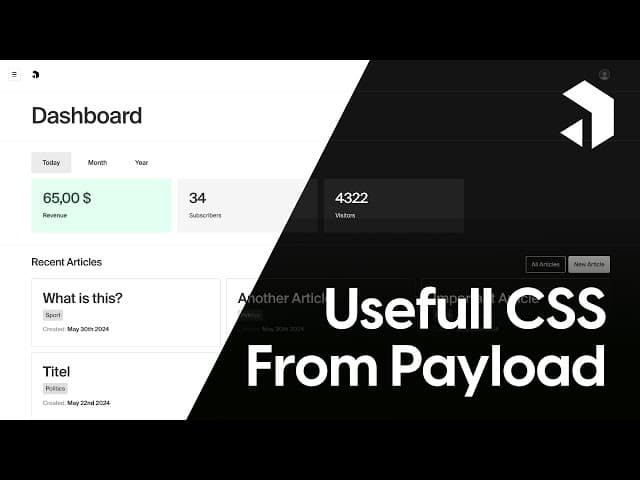

Welcome to an exciting exploration of Payload NextJS and the remarkable CSS classes that come with Payload CMS! In this blog post, we'll dive deep into how you can utilize these classes to create cohesive, theme-aware designs with ease. This will not only enhance your web applications but also streamline your development process.
This article provides a comprehensive written step-by-step tutorial based on our video guide available on YouTube at https://www.youtube.com/watch?v=wSThlikWfXE. If you're a visual learner or prefer following along with video instruction, the companion video covers the same content while offering additional context and real-time demonstrations of each technique, from setting up Tailwind with Payload variables to implementing theme-aware components.
Table of Contents
- Introduction to Payload CMS
- Why Use Payload's Built-in CSS Classes?
- Integrating Tailwind CSS with Payload
- Practical Examples: Building a Dashboard
- Utilizing Pill Elements and Custom Input Styles
- Final Thoughts and Community Contributions
- Frequently Asked Questions (FAQ)
Introduction to Payload CMS
Payload CMS is a headless content management system that offers a robust backend for managing your content effortlessly. It comes packed with a plethora of built-in CSS classes that can be easily integrated into your designs. In this article, we’ll focus on how to make the most out of these classes, particularly in combination with Tailwind CSS.
Why Use Payload's Built-in CSS Classes?
Utilizing Payload’s built-in CSS classes comes with several benefits:
- Cohesive Design: Everything looks and feels like part of the same system.
- Dark Mode Compatibility: Switching to dark mode works seamlessly without any additional effort.
- Easy Theming: You can create custom themes that work perfectly with your CSS classes.

Integrating Tailwind CSS with Payload
One common challenge developers face is combining Tailwind CSS with Payload classes. While Tailwind is fantastic for utility-first styling, it can be tricky to incorporate Payload's color schemes. Fortunately, there's a straightforward solution!
Extending Tailwind Colors with Payload Variables
To effectively use Tailwind in your backend, you'll want to extend your Tailwind configuration to include Payload's color variables. This allows you to leverage the full range of colors available in your Payload setup.
Using Code Snippets for Quick Setup
We’ve prepared handy code snippets to make this process easier. You can find them at snippets.10xmedia.de. Simply copy and paste the provided code into your Tailwind configuration file, and you’re good to go!
Practical Examples: Building a Dashboard
Let’s walk through some practical examples of how to implement these classes in a dashboard setting. We’ll cover various components such as tabs, panels, buttons, and more.
Using Tabs in Your Dashboard
Tabs are a great way to organize content effectively. You can use Payload's built-in tab classes to achieve this easily. To implement tabs, enclose all tab elements in the appropriate class structure.

Creating Different Types of Panels
Payload offers several standard panel styles that you can easily customize. For instance, using classes from Payload, you can create collapsible panels that enhance the user experience.
Styling Buttons
Button styles in Payload are straightforward. Each button can be defined with a base style, and you can easily specify whether it's a primary or secondary button. Here's how you can implement buttons:
- Base class:
btn - Style:
btn--style--primaryorbtn--style--secondary - Size:
btn--size--smallorbtn--size--medium
Creating Theme-Aware Color Schemes
With Payload’s built-in CSS classes, you can easily create theme-aware designs. When you switch between light and dark modes, your defined colors will automatically invert, maintaining a cohesive look.
Utilizing Pill Elements and Custom Input Styles
Pill elements are another handy feature. They can be styled simply by using the pill class. For a lighter variant, you can use pill--style--white.
When it comes to inputs, you can either import elements directly from Payload or create your own. The basic input style is a simple rectangle with a shadow, but you can get creative by adding labels and descriptions.
Final Thoughts and Community Contributions
As we wrap up this exploration of Payload NextJS and its CSS classes, remember that this list is not exhaustive. If you have additional snippets or components to share, feel free to contribute! Your insights could help enhance the community's resources.
Don't forget to check out the links provided for more resources:
Frequently Asked Questions (FAQ)
What is Payload CMS?
Payload CMS is a headless content management system designed for developers looking for a flexible backend solution to manage their content.
How do I extend Tailwind colors with Payload?
You can extend Tailwind colors by adding Payload's color variables directly into your Tailwind configuration file.
Can I use Payload classes in dark mode?
Yes! Payload's CSS classes are designed to work seamlessly in both light and dark modes, inverting colors automatically when switching themes.
Where can I find code snippets for Payload and Tailwind integration?
You can find code snippets at snippets.10xmedia.de, which provides quick setup for extending Tailwind colors and other useful integrations.
Thank you for joining me on this journey through Payload NextJS! I hope this article has been informative and encourages you to explore the capabilities of Payload CMS further. See you next time!